PlaywrightMCP: Powerful Browser Automation & MCP Integration Made Simple
PlaywrightMCP is a modern browser automation extension built on Microsoft’s Playwright, designed to streamline MCP-based workflows with speed, reliability, and full control.
PlaywrightMCP combines the power of Microsoft Playwright with MCP-based automation, giving developers a faster, more reliable way to control browsers, run tests, and automate workflows with precision.
Install playwrightmcp quickly and start automating browser tasks without complex configurations or setup processes.
Simple Installation
Download and set up with minimal steps.
Core Functionality
Execute Advanced Browser Automation
Run powerful automation scripts with precision using Playwright’s engine combined with MCP capabilities.
Smart Automation
Handle complex tasks with speed and accuracy.
Seamless Workflow
Integrate Smoothly with MCP Systems
Connect playwrightmcp with MCP workflows to automate processes, manage tasks, and improve productivity.
Workflow Integration
Seamlessly connect with MCP environments.
Fast Automation
Execute tasks quickly with optimized performance.
Speed That Matters
PlaywrightMCP delivers high-speed automation for testing, scraping, and workflows without delays.
MCP Integration
Seamless connection with MCP workflows.
Built for MCP Systems
Integrate effortlessly with MCP environments and streamline your automation processes.
Multi-Browser Support
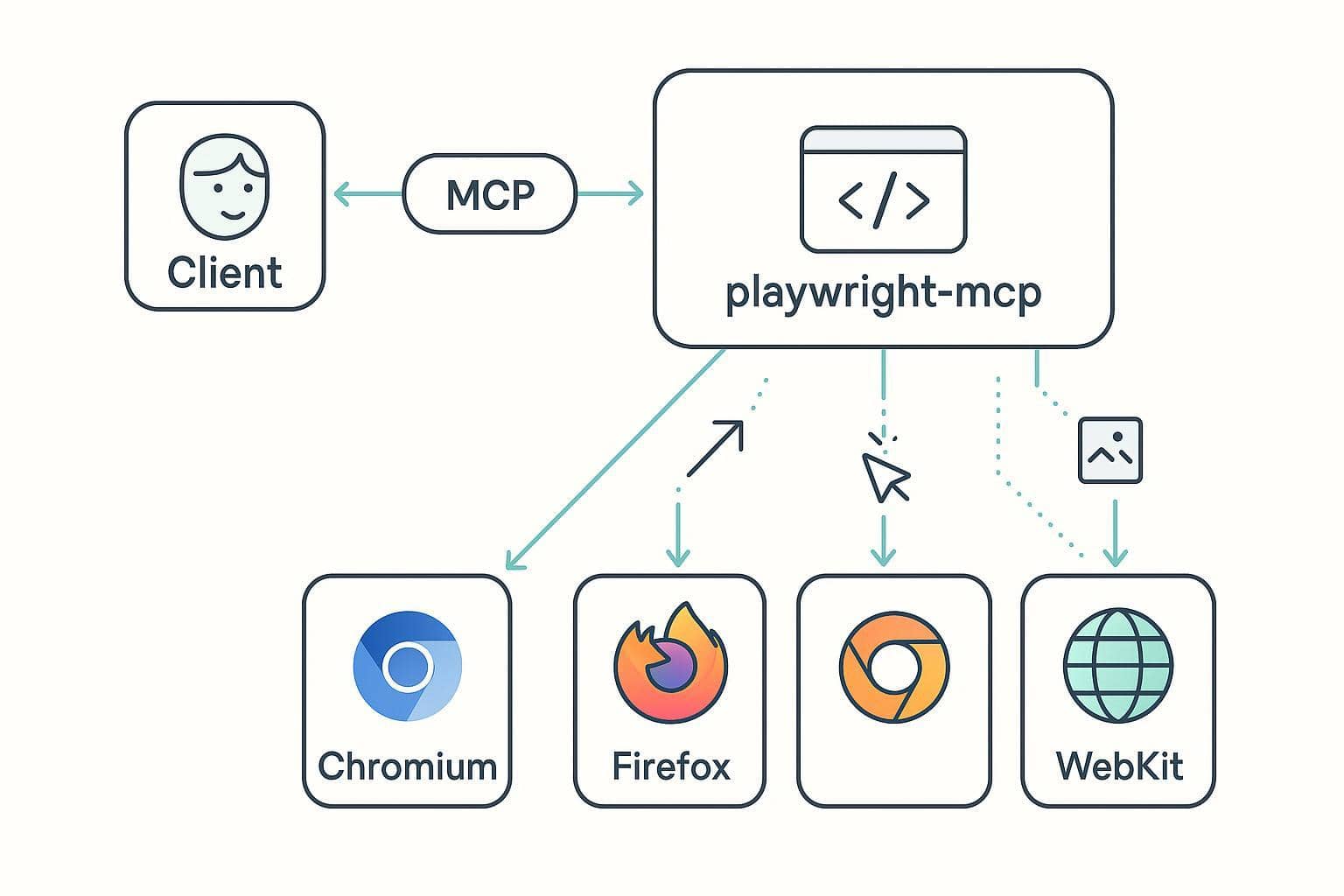
Run automation across different browsers.
Cross-Browser Power
Test and automate across Chromium, Firefox, and WebKit with consistent results.
Flexible Configuration
Customize settings to fit your needs.
Full Control & Flexibility
Adjust configurations and workflows to match your automation requirements.
Downloads & Installs
0K+
Developers Using PlaywrightMCP
0+
Automation Workflows Supported
0+
Open Source & Transparent
0%
Core Features
Powerful Features That Make PlaywrightMCP Stand Out
PlaywrightMCP is built to simplify complex automation tasks with speed, flexibility, and reliability. Explore the key features that make it an essential tool for modern developers.
Advanced Browser Automation
Automate complex browser interactions with precision using Playwright’s powerful engine, supporting multiple browsers and environments.
Seamless MCP Integration
Designed to work effortlessly with MCP workflows, enabling smooth communication, execution, and control across automation pipelines.
Key Features of PlaywrightMCP
Cross-Browser Automation
Run automation scripts across multiple browsers with consistent performance and accuracy.
Fast Execution Speed
Optimized for speed, allowing quick task execution and reduced testing or automation time.
Easy Installation
Get started quickly with a simple download and setup process, even for beginners.
MCP Workflow Support
Built specifically to integrate with MCP systems for seamless automation workflows.
Secure & Open Source
Fully open-source project with transparent code and secure usage backed by community trust.
Flexible Configuration
Customize settings and behavior to match your specific automation needs and environment.
Ready to Get Started with PlaywrightMCP?
Download playwrightmcp now and start automating browser tasks with speed, precision, and seamless MCP integration. Get up and running in minutes.
PlaywrightMCP is designed to deliver speed, reliability, and seamless MCP integration, helping developers automate workflows with confidence and efficiency.
Reliable Performance
Consistent and stable automation across different environments.
Easy to Use
Simple setup and intuitive usage for developers of all levels.
Developer Focused
Built with real-world development and automation needs in mind.
Regular Updates
Actively maintained with improvements and new features.
Your Most Common 3D Playwright MCP
Questions Answered
What is MCP with Playwright?
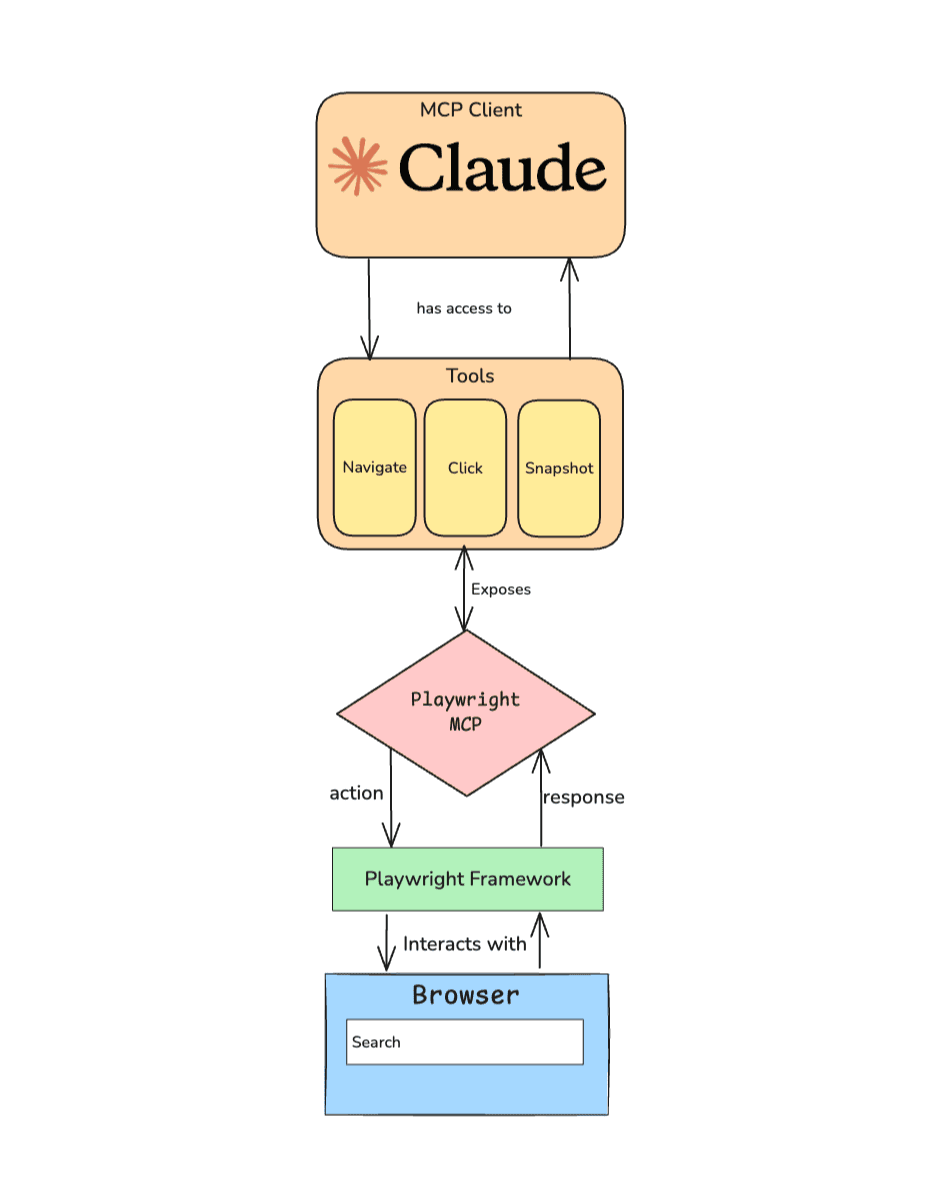
MCP (Model Context Protocol) with Playwright is a system that connects AI models with browser automation tools using Playwright. It allows AI to control a web browser to perform tasks like opening websites, clicking elements, filling forms, and testing web applications in real time.
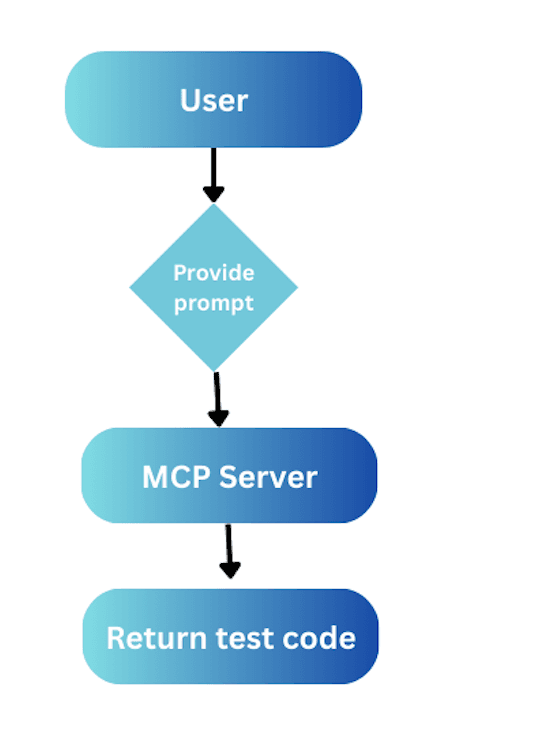
In simple terms, MCP acts as a bridge between AI and Playwright, enabling automated browser actions through structured AI instructions.
This combination is commonly used for:
Automated web testing
Browser-based task automation
AI-assisted QA workflows
Interactive web scraping and navigation
Playwright MCP helps developers and AI systems interact with web pages more intelligently, making automation more flexible and context-aware.
What is the difference between Playwright MCP and Playwright CLI?
Playwright MCP and Playwright CLI are both used for browser automation, but they work differently and serve different purposes.
Playwright MCP (Model Context Protocol) is an AI-integrated system that connects Playwright with AI models. It allows an AI to control a browser using structured instructions, making automation more interactive, context-aware, and suitable for AI-driven workflows like testing, scraping, and agent-based tasks.
Playwright CLI (Command Line Interface) is a traditional developer tool used to run Playwright scripts directly from the terminal. It is used for writing and executing automated tests, running browsers in headless mode, and controlling test workflows through code.
Key difference:
MCP is AI-driven and designed for intelligent, contextual automation
CLI is code-driven and designed for direct script execution and testing
In short, Playwright MCP is for AI-powered automation, while Playwright CLI is for standard developer-controlled automation and testing.
How to use Playwright MCP in cursor?
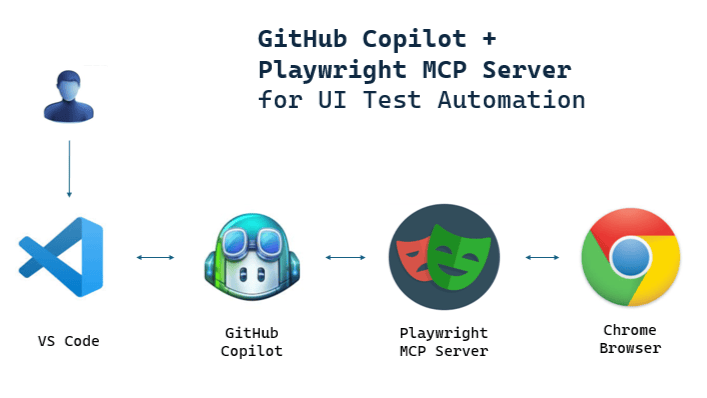
To use Playwright MCP in Cursor, you need to connect the Playwright MCP server with Cursor’s AI agent so it can control a browser through Model Context Protocol.
Basic Steps:
Install Playwright MCP First, set up the MCP server for Playwright in your project (usually via npm or a repo setup depending on your implementation).
Configure MCP in Cursor Open Cursor settings and add the MCP server configuration so Cursor can communicate with Playwright MCP.
Start the MCP Server Run the Playwright MCP server locally so it can accept requests from Cursor.
Use AI Commands in Cursor Now you can ask Cursor’s AI to perform browser actions like:
open a website
click buttons
fill forms
run UI tests
Verify Automation Check the Playwright-controlled browser session to confirm that actions are being executed correctly.
In simple terms:
Cursor uses MCP as a bridge to communicate with Playwright, enabling AI to automate browser actions directly within your development workflow.
What is the difference between Playwright agents and MCP?
Playwright Agents and MCP (Model Context Protocol) are both used for automation with Playwright, but they work in different ways and have different roles in AI-driven workflows.
Playwright Agents are AI-driven automation systems that can independently perform browser tasks like navigating pages, clicking elements, filling forms, and completing workflows. They operate more like “autonomous helpers” that decide actions step by step based on goals.
MCP (Model Context Protocol) is a communication layer that connects AI models with external tools like Playwright. It does not perform actions itself, but provides a structured way for AI systems to send instructions to Playwright and receive results.
Key Difference:
Playwright Agents: Actively execute tasks and make decisions (goal-driven automation)
MCP: Acts as a bridge between AI and Playwright (communication layer)
Playwright Agents are the “workers” that do the automation, while MCP is the “bridge” that allows AI to talk to Playwright and control those workers.
Can Playwright MCP take screenshots?
Yes, Playwright MCP can take screenshots if the underlying Playwright tool and MCP server support the screenshot function. Since MCP acts as a bridge between AI and Playwright, it can instruct Playwright to capture screenshots of a webpage during automation tasks.
How it works:
The AI sends a command through MCP
MCP forwards it to Playwright
Playwright executes the command and captures the screenshot
The image is returned back through MCP
What it can capture:
Full page screenshots
Specific element screenshots
UI states during testing or automation
Playwright MCP doesn’t take screenshots directly itself, but it enables AI to trigger Playwright to take screenshots during browser automation.
Is Playwright better than Cypress?
There is no absolute “better” tool it depends on what you need. But in most modern testing setups, Playwright is often considered more powerful and flexible, while Cypress is simpler and more beginner-friendly.
Handles multiple tabs, users, and parallel tests easily
Works with multiple languages (JS, Python, Java, .NET)
Strong for CI/CD and cross-browser testing
Cypress (strengths)
Very easy to set up and learn
Great developer experience with interactive test runner
Strong debugging with time-travel snapshots
Best for small to medium frontend projects
Key difference
Playwright = more scalable, powerful, cross-browser automation
Cypress = simpler, faster to start, great DX for frontend testing
Final answer
If you are starting a new project or need advanced testing features, Playwright is usually the better choice. If you want quick setup and easy debugging for a frontend app, Cypress is still a strong option.